
Big PDFs, made small & simple.
Shrink heavy documents to a fraction of their size, organize pages with a drag, and send them straight to email or WhatsApp, all on your Mac, in a couple of clicks.
Too big to share? Not anymore.
Most inboxes bounce anything over 25 MB. Watch Compressor slip a 48 MB report under the limit, then send it without a second thought.
Hi, the Q4 report is attached. Numbers look great this quarter.
One app, two moods.
Compressor matches your Mac's appearance automatically: light, dark, whatever your day looks like. Here's both.
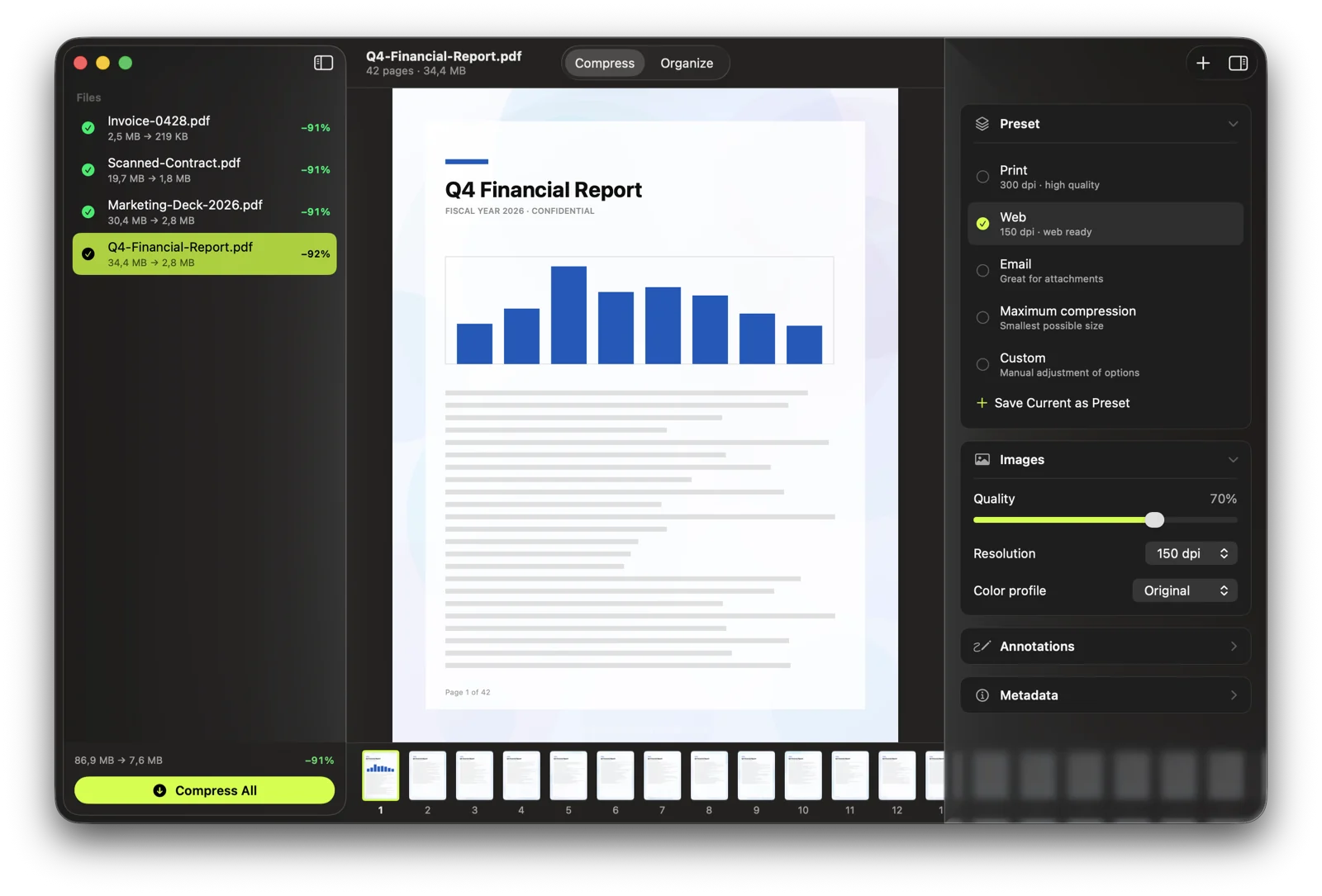
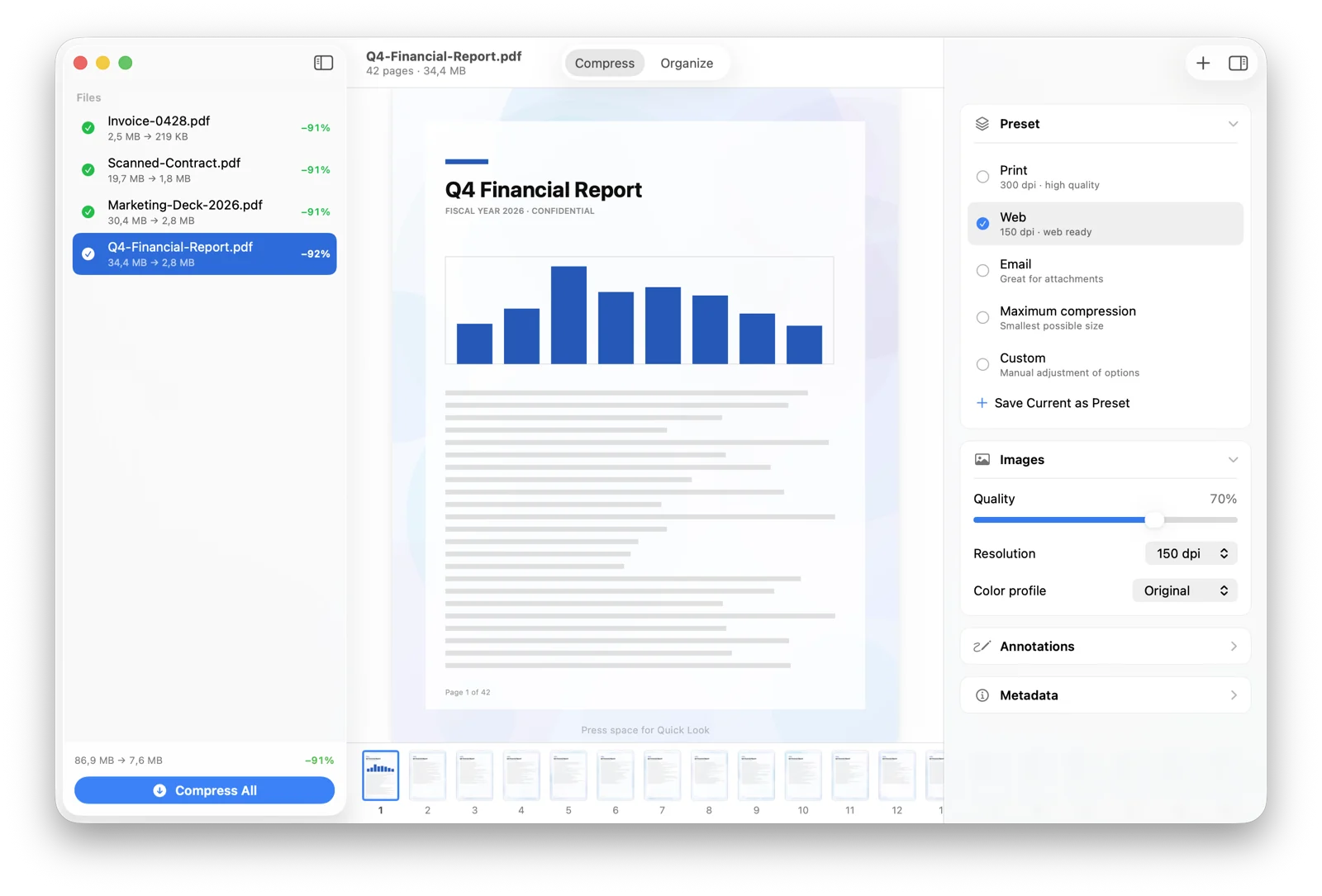
move your cursor, or click a window to bring it forward
Reorder, split & merge.
Every page is a tile. Rearrange with a drag, split one file into two, or merge several into one. Your original is never touched. Try all three:
As simple or as precise as you like.
Pick Print, Web, Email, or Maximum and you're done. Or open Settings and dial in image quality, resolution, and color profile for each, then save up to three presets of your own.
- One-tap presets for the most common jobs
- Adjust image quality, resolution & color profile
- Save your own, applied automatically next time
Own it. No subscription.
- ✓Full compression & organize toolkit
- ✓Send to Email & WhatsApp in one click
- ✓Custom presets & inspector controls
- ✓100% on-device & private
- ✓Free updates through v1.x
Secure checkout · Instant download · VAT included · 14-day money-back guarantee
macOS 14 Sonoma+ · Apple Silicon